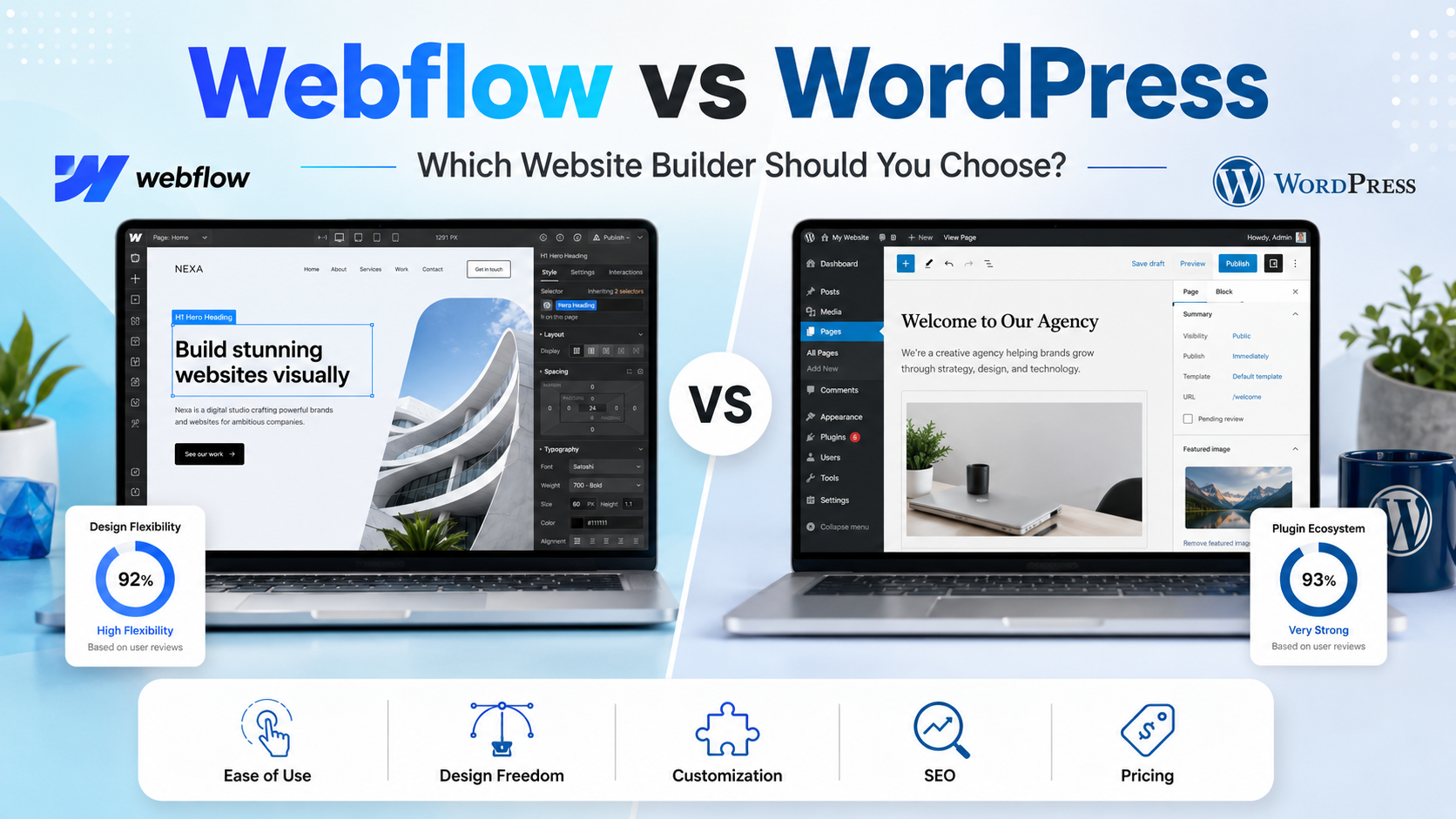
Webflow vs WordPress: Which Website Builder Should You Choose?
A site-platform comparison for teams choosing between Webflow visual design control and the WordPress ecosystem.
By Ivy WhitmorePublished Jul 16, 2026Updated Jul 16, 202616 min read
Product links point to official websites and may be sponsored where a partner relationship exists. Editorial conclusions are independent of those links.
Your site is design-led and needs precise visual layouts.
You want hosting and publishing handled by the platform.
Your marketing team prefers controlled CMS collections over plugin assembly.
WordPress
Best for flexibility
Choose WordPress if...
Your site depends on publishing, plugins, memberships, ecommerce, directories, or custom back-end behavior.
You want ownership, portability, and hosting choice.
You have developer support or a host that manages WordPress well.
Webflow is better for designers, marketing teams, and agencies that want visual control, hosted publishing, and fewer plugin-maintenance decisions. WordPress is better for content-heavy sites, developers, publishers, and businesses that need extensibility, ownership, and portability.
Quick verdict: Webflow is best for visually custom marketing sites. WordPress is best for extensible publishing, ownership, and plugin-driven growth.
Webflow vs WordPress at a Glance
Webflow
WordPress
Best for
Design-led marketing sites and agencies
Best for
Content-heavy sites and extensible custom builds
Starting cost
Free Starter plan; Basic site plan from $15/month billed yearly.
Your site is design-led and needs precise visual layouts.
You want hosting and publishing handled by the platform.
Your marketing team prefers controlled CMS collections over plugin assembly.
Choose WordPress if:
Your site depends on publishing, plugins, memberships, ecommerce, directories, or custom back-end behavior.
You want ownership, portability, and hosting choice.
You have developer support or a host that manages WordPress well.
Webflow vs WordPress: The Main Differences
Webflow is a hosted visual site builder; WordPress is open-source CMS software installed on hosting.
Webflow gives designers direct visual control; WordPress gives publishers and developers a larger ecosystem.
Webflow reduces maintenance; WordPress offers greater portability and plugin flexibility.
Webflow pricing is packaged by site/workspace limits; WordPress costs vary by hosting, plugins, themes, and support.
WordPress is usually stronger for large publishing operations; Webflow is often stronger for bespoke marketing pages.
Detailed Category-by-Category Report
01
Setup and Visual Editing
Webflow is built for designers who want to manipulate layout, style, responsiveness, interactions, and CMS content visually. WordPress setup depends on host, theme, block editor, page builder, and plugins. A nontechnical publisher may find WordPress easier for writing; a designer may find Webflow easier for building custom pages.
Webflow
Webflow is built for designers who want to manipulate layout, style, responsiveness, interactions, and CMS content visually. A nontechnical publisher may find WordPress easier for writing; a designer may find Webflow easier for building custom pages.
WordPress
WordPress setup depends on host, theme, block editor, page builder, and plugins. A nontechnical publisher may find WordPress easier for writing; a designer may find Webflow easier for building custom pages.
Key differenceWinner for visual design control: Webflow.
02
CMS and Blogging
WordPress remains one of the strongest publishing systems because posts, taxonomies, roles, revisions, media, editorial workflows, and plugins are mature. Webflow CMS is elegant for structured marketing content, portfolios, case studies, and directories, but WordPress has more publishing depth and editorial extensibility.
Webflow
Webflow CMS is elegant for structured marketing content, portfolios, case studies, and directories, but WordPress has more publishing depth and editorial extensibility.
WordPress
WordPress remains one of the strongest publishing systems because posts, taxonomies, roles, revisions, media, editorial workflows, and plugins are mature. Webflow CMS is elegant for structured marketing content, portfolios, case studies, and directories, but WordPress has more publishing depth and editorial extensibility.
Key differenceWinner for large-scale publishing: WordPress.
03
Themes, Templates, and Custom Code
Webflow templates are a starting point for visual customization. WordPress themes range from lightweight editorial themes to full page-builder systems. Developers can extend both, but WordPress exposes deeper server-side customization, while Webflow keeps more of the build inside its hosted environment.
Webflow
Webflow templates are a starting point for visual customization. Developers can extend both, but WordPress exposes deeper server-side customization, while Webflow keeps more of the build inside its hosted environment.
WordPress
WordPress themes range from lightweight editorial themes to full page-builder systems. Developers can extend both, but WordPress exposes deeper server-side customization, while Webflow keeps more of the build inside its hosted environment.
Key differenceWinner for code-level extensibility: WordPress.
04
SEO and Performance
Both platforms can support excellent SEO. Webflow gives clean visual control, hosted performance, redirects, metadata, and structured content tools. WordPress can go deeper through SEO plugins, custom schema, technical SEO tooling, and server-level optimization. Poor plugins or hosting can hurt WordPress; a disciplined stack can perform very well.
WordPress can go deeper through SEO plugins, custom schema, technical SEO tooling, and server-level optimization. Poor plugins or hosting can hurt WordPress; a disciplined stack can perform very well.
Key differenceBest choice depends on team: Webflow for managed simplicity; WordPress for advanced SEO control.
05
Plugins, Apps, and Integrations
WordPress has a far larger plugin ecosystem for forms, SEO, analytics, ecommerce, memberships, events, directories, LMS, multilingual content, and custom workflows. Webflow integrations cover common marketing needs but do not match WordPress for breadth. That breadth is powerful and risky because plugin quality varies.
Webflow
Webflow integrations cover common marketing needs but do not match WordPress for breadth.
WordPress
WordPress has a far larger plugin ecosystem for forms, SEO, analytics, ecommerce, memberships, events, directories, LMS, multilingual content, and custom workflows. Webflow integrations cover common marketing needs but do not match WordPress for breadth.
Key differenceWinner for extension ecosystem: WordPress.
06
Hosting, Security, and Maintenance
Webflow bundles hosting and platform maintenance. WordPress requires hosting that meets modern PHP, database, and HTTPS requirements, plus updates, backups, security hardening, and plugin monitoring. Managed WordPress hosting can reduce that burden, but it remains part of the ownership model.
Webflow
Webflow bundles hosting and platform maintenance.
WordPress
WordPress requires hosting that meets modern PHP, database, and HTTPS requirements, plus updates, backups, security hardening, and plugin monitoring. Managed WordPress hosting can reduce that burden, but it remains part of the ownership model.
Key differenceWinner for low maintenance: Webflow.
07
Pricing and Ownership
Webflow publishes hosted site plans, including a free Starter plan and paid site tiers. WordPress.org software is free, but production sites pay for hosting, domains, premium themes, plugins, security tools, backups, and development time. WordPress has stronger ownership and portability; Webflow has clearer platform packaging.
Webflow
Webflow publishes hosted site plans, including a free Starter plan and paid site tiers. WordPress has stronger ownership and portability; Webflow has clearer platform packaging.
WordPress
WordPress.org software is free, but production sites pay for hosting, domains, premium themes, plugins, security tools, backups, and development time. WordPress has stronger ownership and portability; Webflow has clearer platform packaging.
Key differenceWinner for ownership: WordPress; winner for predictable platform packaging: Webflow.
Advertisement
Full Feature Comparison Table
Webflow vs WordPress full feature comparison
Feature or criterion
Webflow
WordPress
Winner
Software model
Hosted visual platform
Open-source CMS software
Different architecture
Free option
Starter plan
Free software
WordPress
Entry site price
Basic from $15/month billed yearly
Hosting varies
Depends on host
Hosting
Included on site plans
Chosen by owner
Webflow simpler
Visual design
Excellent native designer
Theme/page-builder dependent
Webflow
Blogging
Good CMS blogging
Mature publishing system
WordPress
CMS collections
Structured collections
Posts, pages, custom types via plugins/code
Tie by use case
Plugins
Smaller app/integration ecosystem
Huge plugin ecosystem
WordPress
SEO controls
Strong built-in basics
Deep plugin and code controls
WordPress for advanced
Ecommerce
Available by plan/features
WooCommerce and plugins
WordPress for flexibility
Memberships
Integration/app dependent
Many plugin options
WordPress
Custom code
Front-end embeds and platform APIs
Front-end and server-side control
WordPress
Security updates
Managed platform
Owner/host/plugin responsibility
Webflow
Backups
Platform handled with limits/features
Host/plugin process
Depends on host
Portability
Limited export compared with open source
High
WordPress
Collaboration
Workspace/collaboration tools
Roles and editorial plugins
Tie
Designer fit
Excellent
Good with builder/theme
Webflow
Developer fit
Good for front-end visual builds
Excellent for custom CMS
WordPress
Large publisher fit
Good for structured marketing content
Excellent
WordPress
Maintenance burden
Low
Medium to high
Webflow
Pricing Comparison
Pricing checked:
Pricing checked on 2026-08-01. Webflow lists a free Starter plan and a Basic site plan from $15/month billed yearly. WordPress.org software is free, but official requirements still imply hosting that supports modern PHP, database, and HTTPS; production costs depend on host, domain, themes, plugins, maintenance, and developer support.
Webflow
WordPress
Platform or software
Free Starter plan; Basic site plan from $15/month billed yearly.
Requires hosting, updates, security, and plugin management
First-year planning note
Designers and marketing teams that want precise visual control without managing hosting
First-year planning note
Publishers, developers, content teams, and businesses needing extensibility
Webflow is more predictable because site plans bundle hosting and platform features.
WordPress can be inexpensive for a simple managed-hosting site.
WordPress costs rise with premium plugins, custom development, security, backups, and performance work.
Webflow workspace, CMS, bandwidth, ecommerce, and add-on limits should be checked before launch.
Neither option includes domain registration by default in this comparison.
Pros and Cons
Webflow
Pros
Excellent visual design control.
Hosted platform reduces maintenance.
Strong fit for custom marketing sites and agency production.
Cons
Less portable than open-source WordPress.
Complex CMS or plugin needs may require workarounds.
Plan limits must be checked carefully.
WordPress
Pros
Massive plugin and theme ecosystem.
Strong publishing, SEO, and ownership model.
Portable open-source software with deep developer control.
Cons
Requires hosting, updates, security, and plugin management.
Plugin conflicts can create performance or maintenance issues.
Costs are less predictable once custom work is included.
Use-case recommendations
Find the right fit for your team
Different teams have different priorities. Here's how Webflow and WordPress compare for common use cases.
designers
Webflow
Recommended
Webflow, because visual control is built into the platform.
Why: Visual control is built into the platform.
publishers
WordPress
Recommended
WordPress, because editorial workflows and extensibility are mature.
Why: Editorial workflows and extensibility are mature.
low maintenance
Webflow
Recommended
Webflow, because hosting and platform updates are managed.
Why: Hosting and platform updates are managed.
extensibility
WordPress
Recommended
WordPress, because plugins and custom code can support far more use cases.
Why: Plugins and custom code can support far more use cases.
Bottom line: Webflow is best for visually custom marketing sites. WordPress is best for extensible publishing, ownership, and plugin-driven growth.
Migration and Switching
Moving from WordPress to Webflow
Moving from WordPress to Webflow usually means redesigning templates, recreating CMS structures, importing content, and mapping redirects.
Moving from Webflow to WordPress
Moving from Webflow to WordPress can require rebuilding layouts, recreating CMS collections as custom post types, and replacing Webflow interactions with theme or plugin behavior.
Main risks and checklist
Export products, customers, orders, content, and redirects before rebuilding workflows.
Identify theme, checkout, form, automation, and reporting behavior that may require manual recreation.
Test URL redirects and analytics before switching live traffic.
Alternatives to Consider
Squarespace
Wix
Framer
Ghost
Frequently Asked Questions
Webflow is better for visual design control and low-maintenance marketing sites. WordPress is better for publishing depth, plugin flexibility, portability, and custom development.
WordPress software is free, but hosting, themes, plugins, security, backups, and developer support can add cost. Webflow paid plans are often more predictable because hosting is bundled.
Both can be strong for SEO. Webflow is simpler to manage, while WordPress offers deeper plugin and code-level SEO control. The better choice depends on technical skill and content strategy.
Webflow is easier for design-minded beginners who want visual control. WordPress is easier for beginners focused mainly on writing and publishing, especially with a managed host.
Yes, but expect to rebuild templates, CMS structures, forms, and redirects. Content can often be exported and imported, but design and plugin behavior require manual planning.
WordPress is usually better for developers who need server-side customization, plugins, custom post types, and ownership. Webflow is strong for front-end visual production and marketing-site workflows.
Editorial Methodology and Sources
We compared official Webflow pricing and help information, WordPress.org requirements, CMS depth, visual editing, SEO control, hosting responsibility, plugin ecosystems, ownership, portability, security, and long-term maintenance.